IXD - documentation compiler for AX
Ixd is command line tool which can generate API documentation for AX projects. Ixd transpiles .st files to yaml files which can be used in Docfx documentation tool.
Quick start
1. Install latest docfx
Enter following code in terminal:
dotnet tool update -g docfx
2. Create new docfx project
docfx init --quiet
Docfx project will be generated with following folder structure:
├───api <-- this should be output folder of ixd
├───apidoc
├───articles
├───images
├───src
└───_site
    ├───api
    ├───articles
    ├───fonts
    └───styles
3. Install ixd tool
dotnet tool install AXSharp.ixd --prerelease --local
4. Generate documentation with ixd
dotnet ixd -x $PATH_TO_AX_PROJECT -o $PATH_TO_API_FOLDER
where:
$PATH_TO_AX_PROJECT -- is path to AX project, which contains apax.yml file
$PATH_TO_API_FOLDER -- is path to api output folder, which is located in docfx project
5. Build and run docfx docset
Enter following command in docfx_project project directory:
docfx docfx.json --serve
Now you can preview the website on http://localhost:8080/api/.
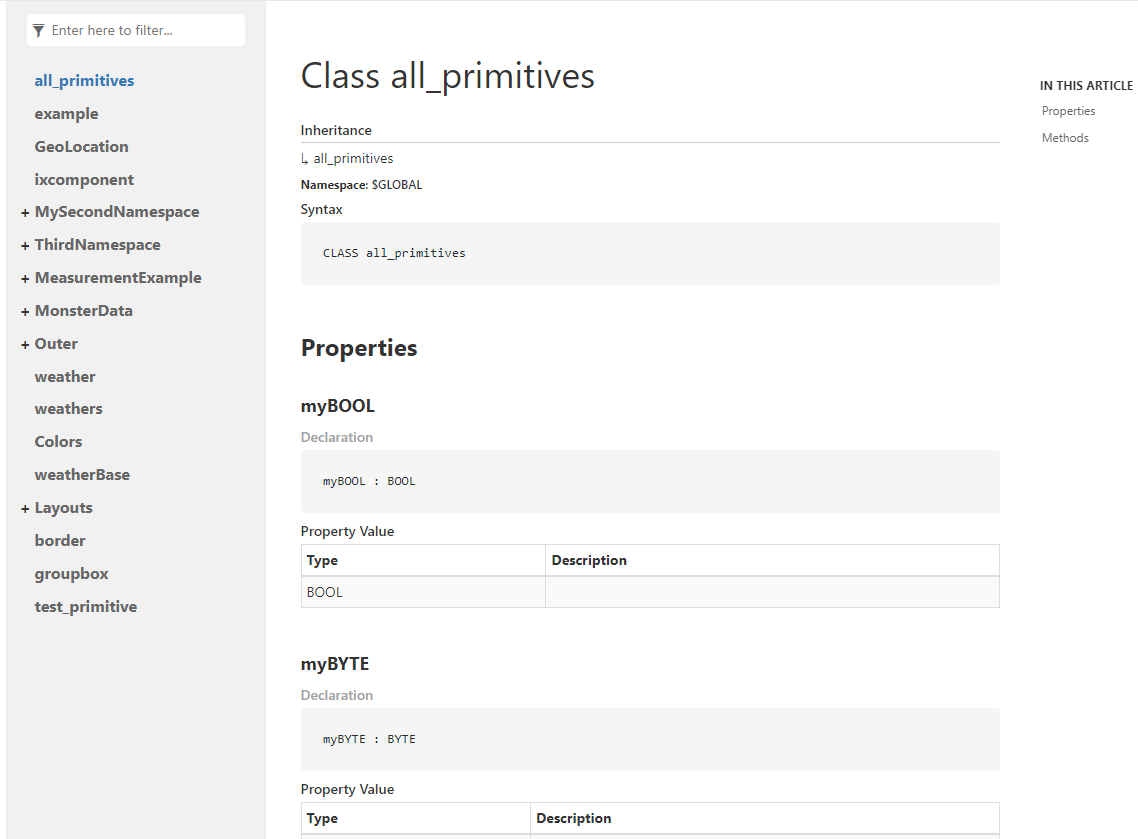
Website should look something like this:
Notes
Ixd is still in early development, so some features may be missing and bugs may occur. Currently ixd can generate documentation for following elements:
- Namespaces
- Classes
- Methods
- Properties
- Interfaces
- Types
- Classes
XML comments
Ixd supports extracting XML comment formats from .st files into API documentation.
Following XML tags are currently supported:
<summary><params><returns><example><remarks><code><c><see><seealso>